Pulsegrid Rhythm: a close look, tips and whether it is worth your time
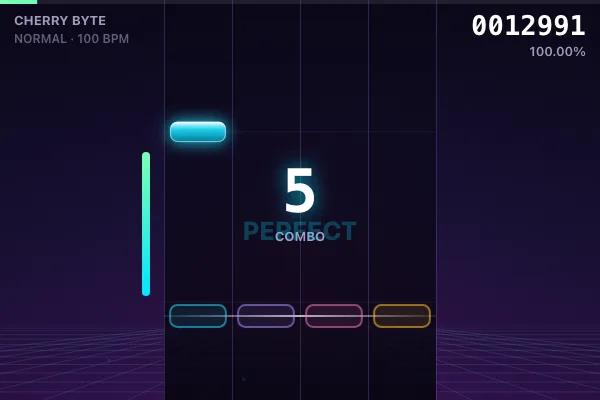
If you enjoy short sessions that are hard to walk away from, give this one a look. Below is everything you need before the first launch: the gist, the controls and some working techniques.
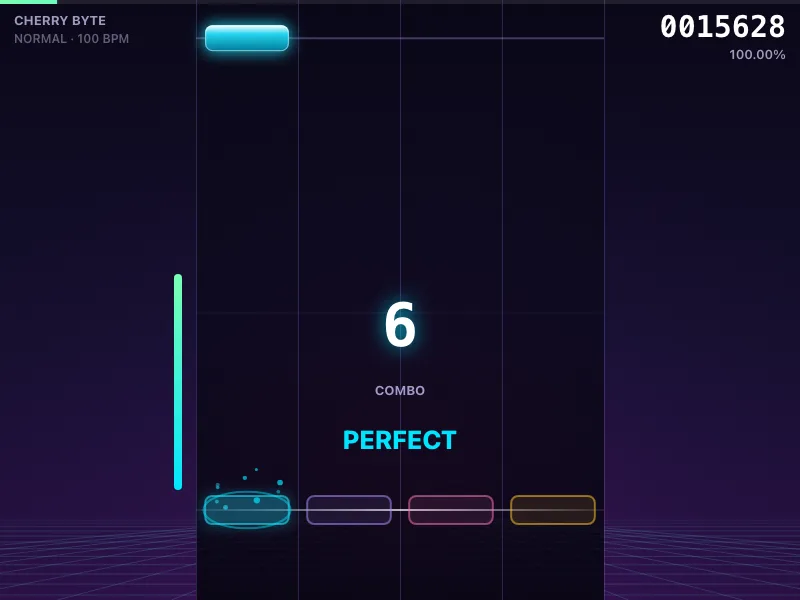
What this game is
Pulsegrid (Пульсаритм) is a rhythm game: notes fall down four lanes exactly on the beat, and the music is not played from a file — it is synthesized live on your page through real sound. Not a single downloaded track: every note, drum and bass line is generated from code, so the four built-in compositions play like a live electro performance.
How to play, in short
Controls (keyboard):
- D / F / J / K (or ← ↓ ↑ →) — the four lanes, left to right
- Hit a key exactly as a note crosses the glowing judgement line
- Hold notes — press at the head and release after the tail
- Esc to pause, R to restart the run
Controls (touch screen):
- Four invisible zones across the lanes — tap down the correct stripe on the beat
- Your first tap unlocks the sound (the game needs a touch before it plays audio)
How to play:
- Pick a track and a difficulty (EASY / NORMAL / HARD) — note the hit count and density (notes/sec)
- Consecutive hits build a combo, and the combo multiplies every note you score, so one long clean run is worth far more than scattered hits
- The life gauge on the left drains on misses: empty it and the run ends (turn on No Fail in settings to lift this)
- Judgement accuracy (Perfect / Great / Good / Miss) and per-track bests save automatically; Calibrate fixes the offset if the audio runs late
A few final tips
- Check out the demo mode on the game page — the AI shows how it is played, and repeating it yourself gets much easier.
- Play in short sessions: the best results come with a warmed-up head.
A perfect way to kill ten minutes — and suddenly an hour is gone. Ready to try? "Pulsegrid Rhythm"
INFO
[Partner ads]